
Our Technology
Cost and Risk Management within Revit
The StoneBrick Revit Add-in brings real-time cost forecasting into your BIM workflow — no exports, no delays, no guesswork. Enabling faster decisions, earlier risk visibility and more reliable project budgets.

How It Works
From Model to Decision in Three Steps

Step 1
Model
Continue working in Revit as usual. Design, iterate and refine without changing your workflow.
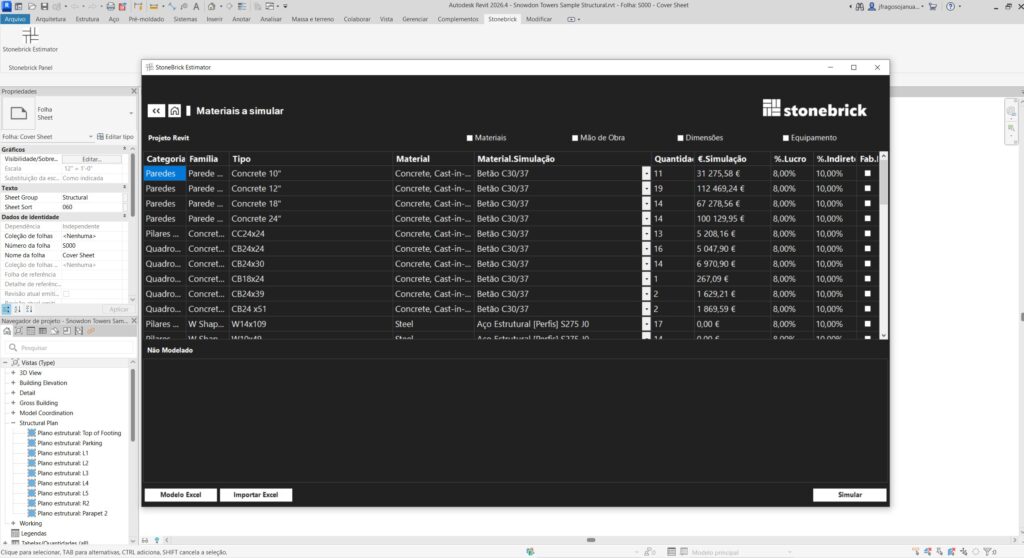
Step 2
Estimate
Click one button. Our add-in extracts quantities and applies market-informed unit costs to generate preliminary budgets and cost forecasts.
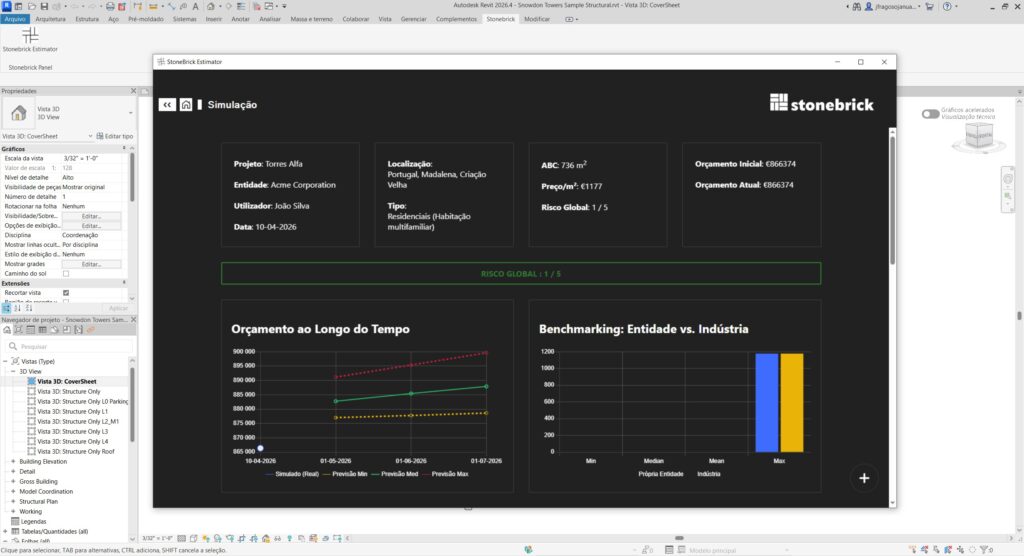
Step 3
Decide
Compare design options, evaluate cost implications instantly and make informed decisions in real time.
Key Capabilities
Built for Speed, Precision and Trust
Instant Results
Preliminary budgets in seconds, enabling earlier cost visibility.
BIM-Native
Fully integrated within Revit — no exports, no workflow disruption.
Market-Based Pricing
Cost databases grounded in real project data and continuously updated market intelligence.
Scenario Comparison
Test design alternatives and immediately understand cost implications.
Transparent Breakdown
Detailed line-item estimates you can review and adjust.
Private and Protected
Your models and data never leave your control.
Who Benefits
Designed for Teams That Deliver
Architects & Designers
Make cost-aware design decisions from day one.
Cost Consultants
Accelerate preliminary estimates and focus on value-add analysis.
Project Managers
Validate budgets early and reduce the risk of downstream cost overruns.
See It in Action
Book a personalised demo to see how the StoneBrick Revit Add-in supports faster cost forecasting, clearer decisions and more reliable project budgets.
Beyond the Add-In
Custom Tools for Cost Intelligence










The Revit Add-in is one example of how we translate economic expertise into practical digital tools. We also collaborate with industry partners on custom cost intelligence solutions, decision-support platforms and data-driven applications for the built environment.